BlinkPaste

Save reusable replies, text snippets, and AI prompts as keyboard buttons, then paste them into any iPhone app with one tap.

Keep the text you repeat close to the keyboard—without switching to Notes, searching old chats, or retyping the same answer.

Download on theApp Store
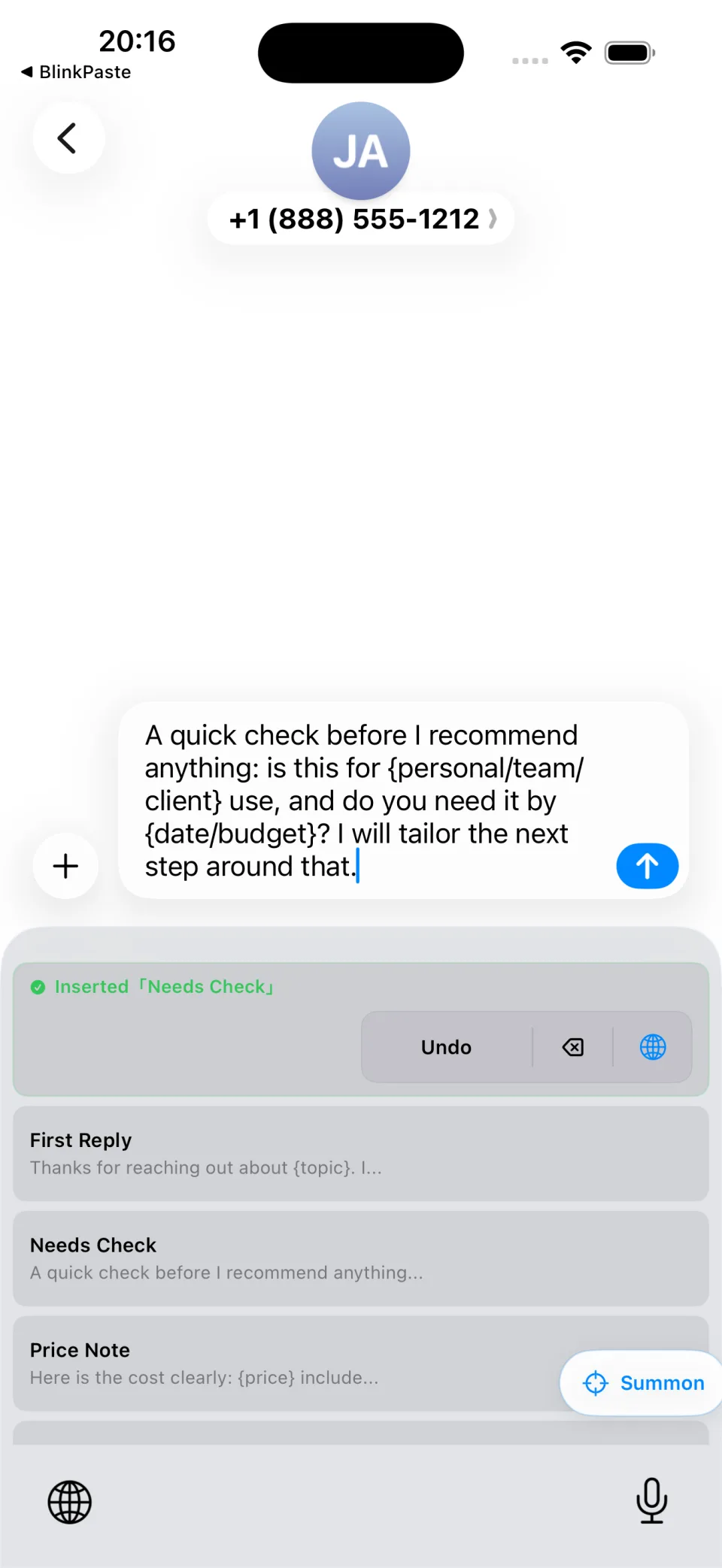
BlinkPaste keyboard pasting a saved reply in Messages
Paste from any text field
Summon by initials
Sync with Apple iCloud

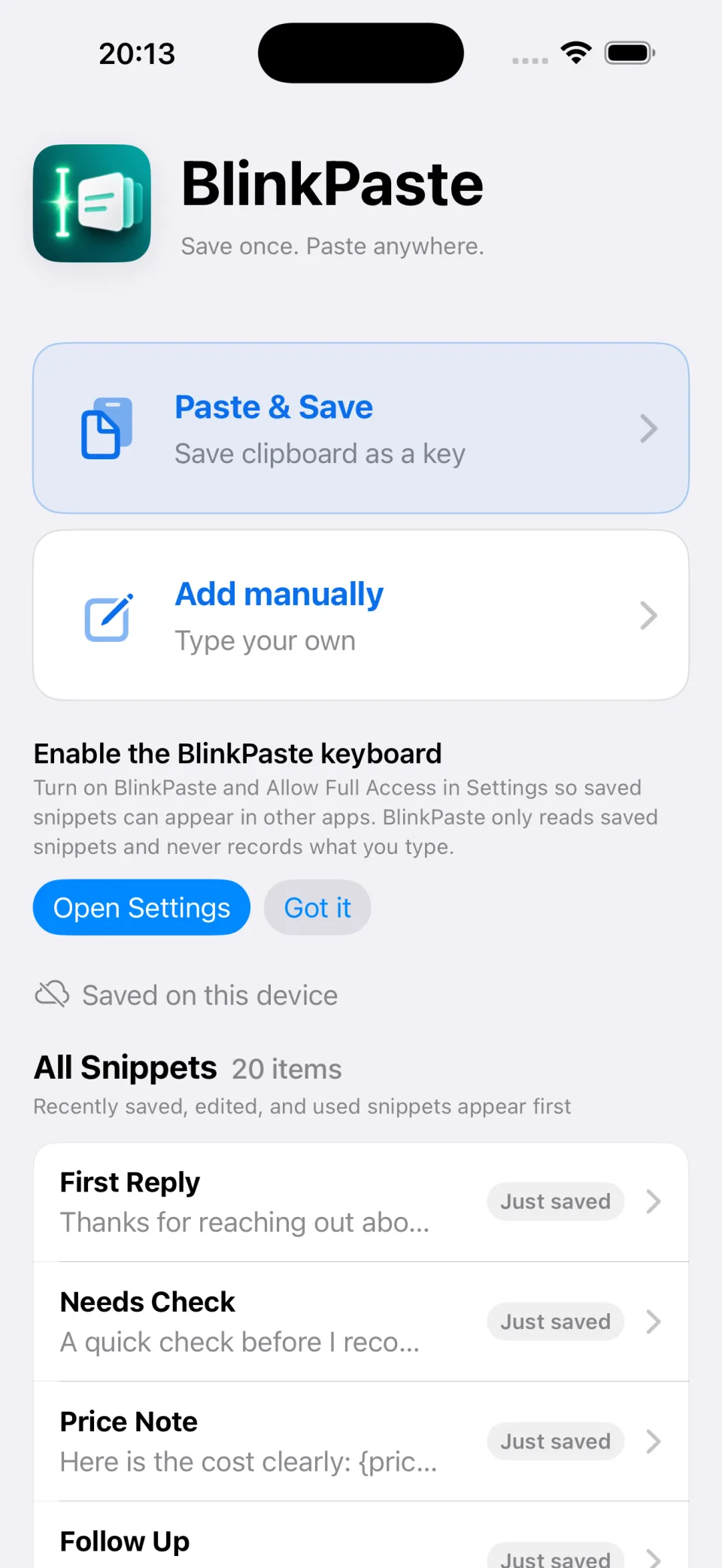
Save the text you use again and again.

Create a snippet manually or turn clipboard text into a reusable keyboard button.

  • Store replies, prompts, addresses, signatures, and templates
  • Add a short title so each snippet is easy to recognize
  • Pin and organize the snippets that matter most
  • Start with up to 30 saved snippets for free
BlinkPaste main app with saved snippets and clipboard save actions

Paste without leaving the conversation.

Switch to the BlinkPaste keyboard in any text field and tap a saved card to insert the full text.

  • Use it in Messages, email, support tools, and AI apps
  • Avoid jumping between Notes and the app you are typing in
  • Undo the most recent insertion when needed
  • Your saved snippets remain under your control
BlinkPaste custom keyboard showing reusable reply cards

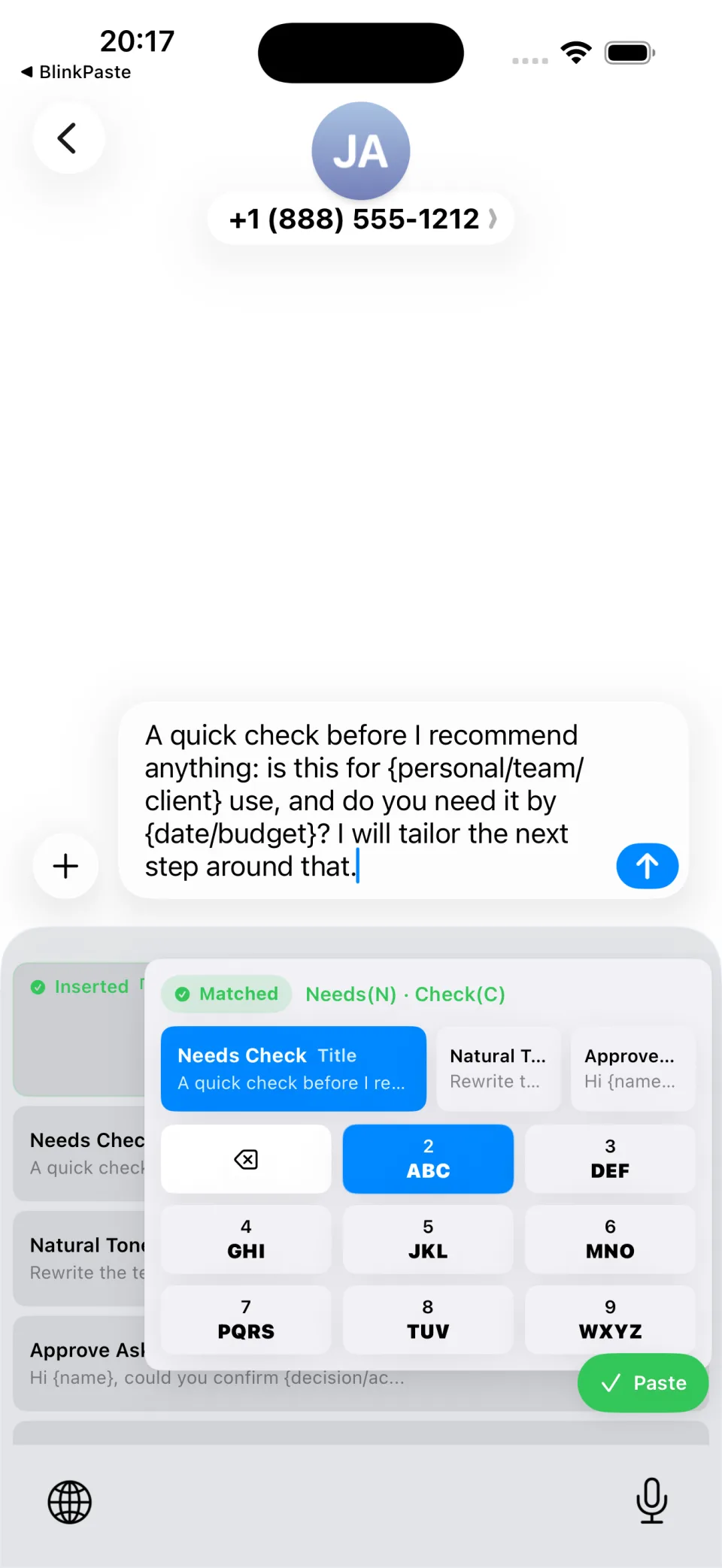
Summon the right snippet by initials.

When the library grows, use the nine-key Summon panel to narrow the list by initials instead of scrolling.

  • Enter the initials you remember
  • See matching snippets immediately
  • Choose the result and paste it from the same keyboard
  • Keep larger libraries fast to navigate
BlinkPaste Summon panel finding a saved snippet by initials

Made for the text you repeat every day.

1

Customer support

Keep FAQ answers, return details, and polite follow-ups ready.
2

AI prompts

Paste long prompts and rewrite instructions without rebuilding them.

3

Work templates

Reuse email replies, meeting follow-ups, and billing details.

4

Personal details

Keep addresses, bios, signatures, and frequently shared links nearby.

A keyboard with a narrow job

  • Does not record what you type in other apps
  • Does not upload your typed content
  • Full Access reads only the saved snippet library
  • Optional iCloud sync stays within Apple’s iCloud service
Read the full privacy policy

Start with 30 snippets free.

Unlock unlimited snippets with one purchase—no subscription.

Download on theApp Store

iPhone typing guides

Choose the right shortcut without weakening privacy.

Learn how snippet keyboards differ from clipboard history and what Allow Full Access actually enables.

Browse BlinkPaste guides