Footfall Tally

Turn on-site foot traffic into consistent, comparable 15-minute counts for smarter location decisions.

Run repeatable field counts for storefront selection, retail audits, venues, and public spaces—without spreadsheets or manual tally sheets.

Download on theApp Store
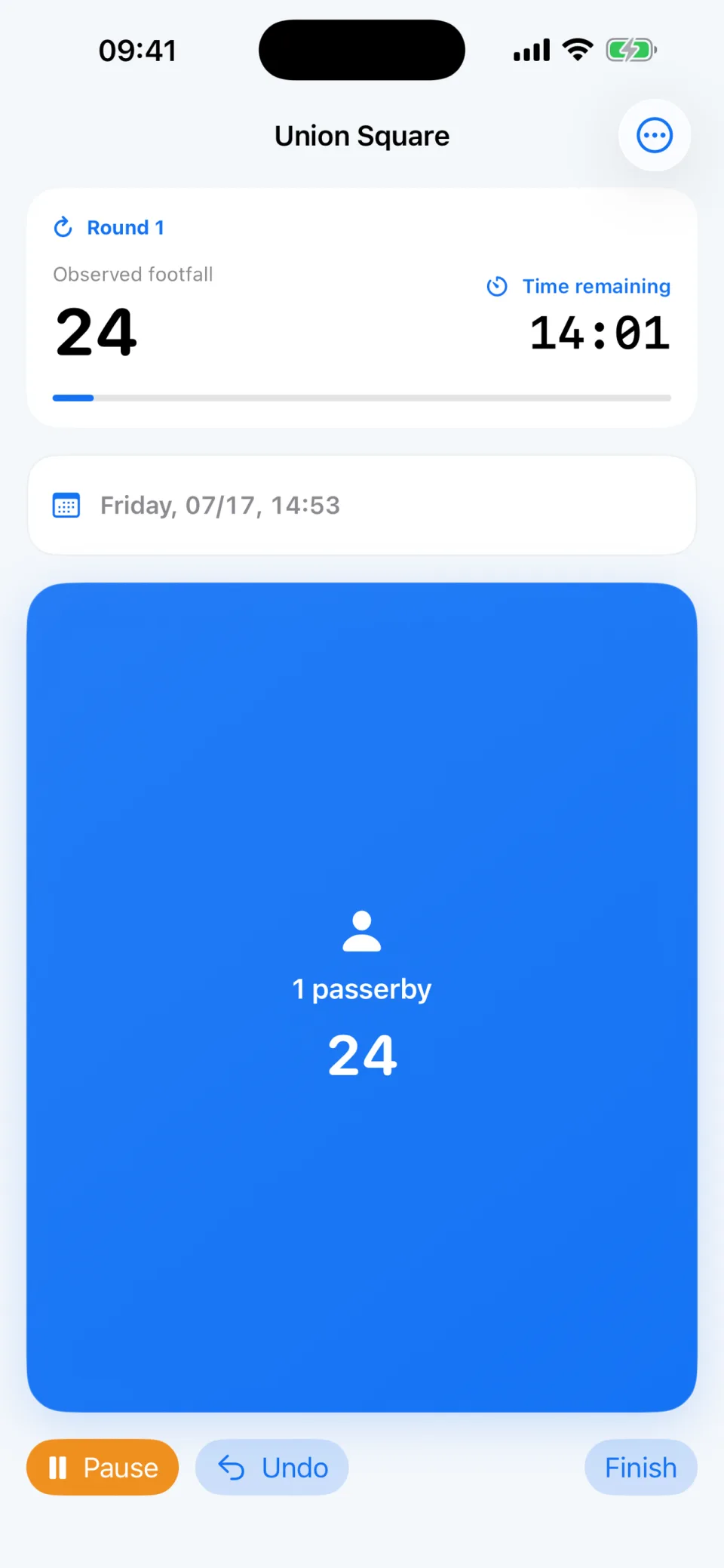
Footfall Tally running a 15-minute field count
One person, one tap
15-minute rounds
Comparable by place and time

Count the field question that matters.

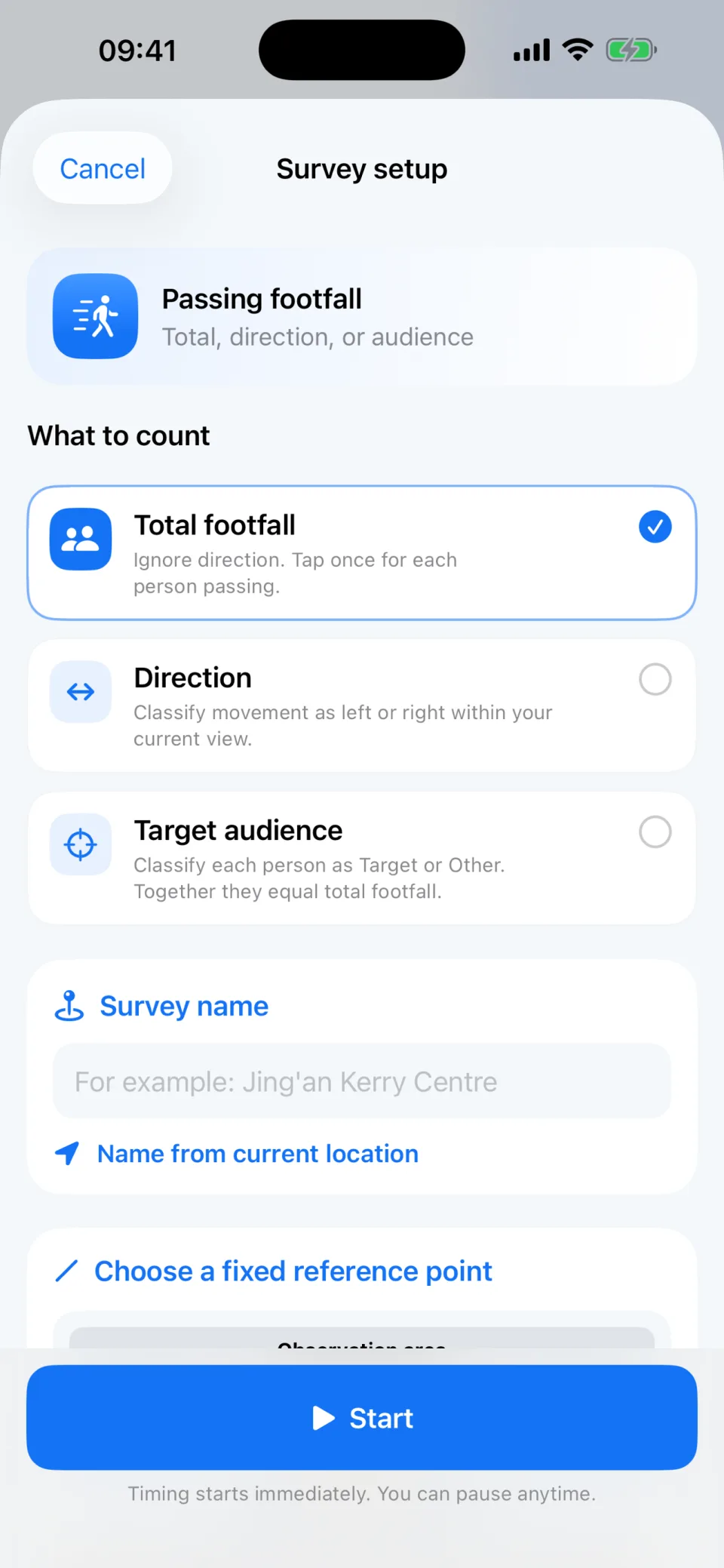
Choose the mode that matches the decision you need to make. Mutually exclusive buttons keep one person from being counted twice.

  • Total footfall—tap once for each person passing
  • Direction—classify movement as left or right
  • Target audience—separate Target from Other
  • Venue visits—track passersby, entries, or pickups
Footfall Tally survey setup screen with foot traffic counting options

Keep every round consistent.

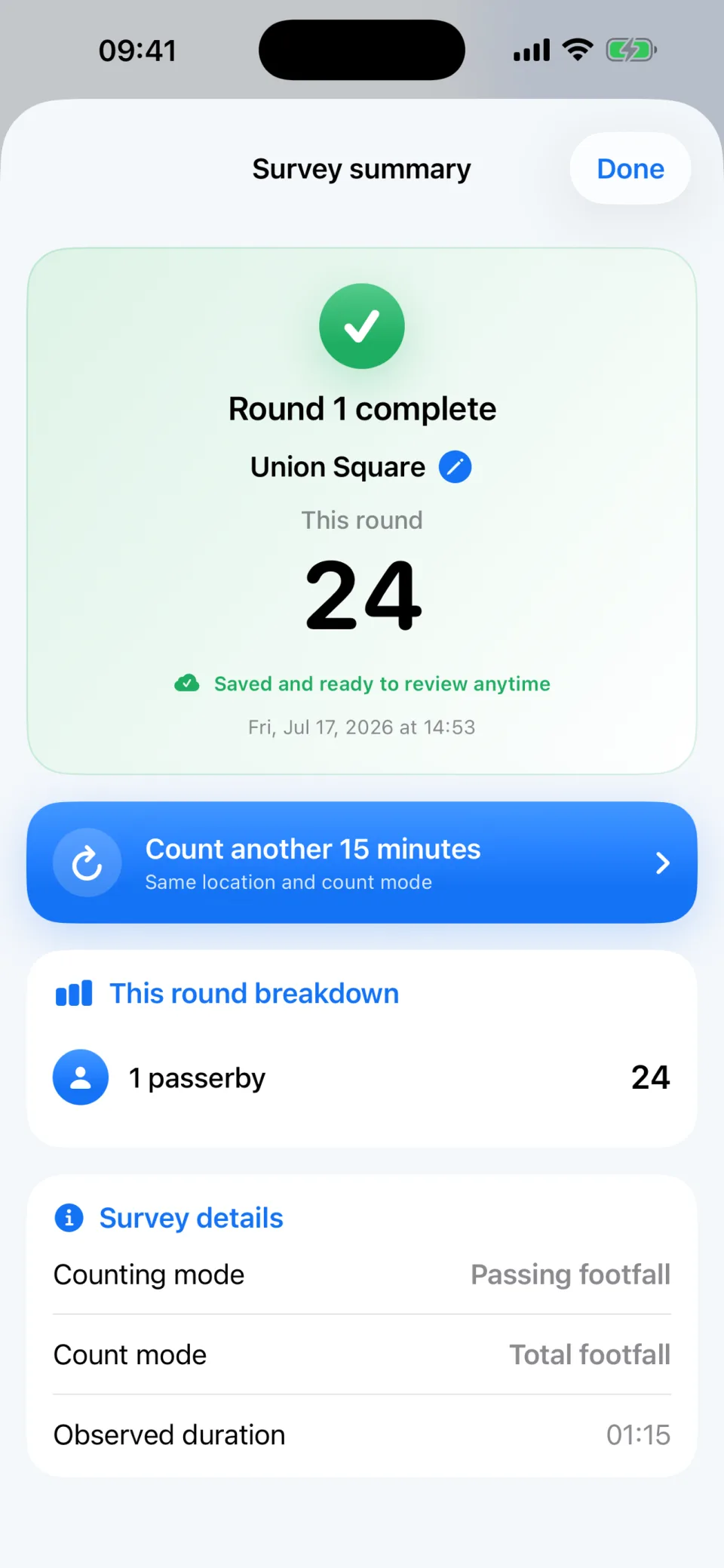
Every round defaults to 15 minutes, so repeated observations stay easier to compare.

  • Pause and resume at any time
  • Undo a tap if you miscount
  • Finish early when conditions change
  • Review totals, duration, and counting mode
Footfall Tally completed round summary

Compare the same place over time.

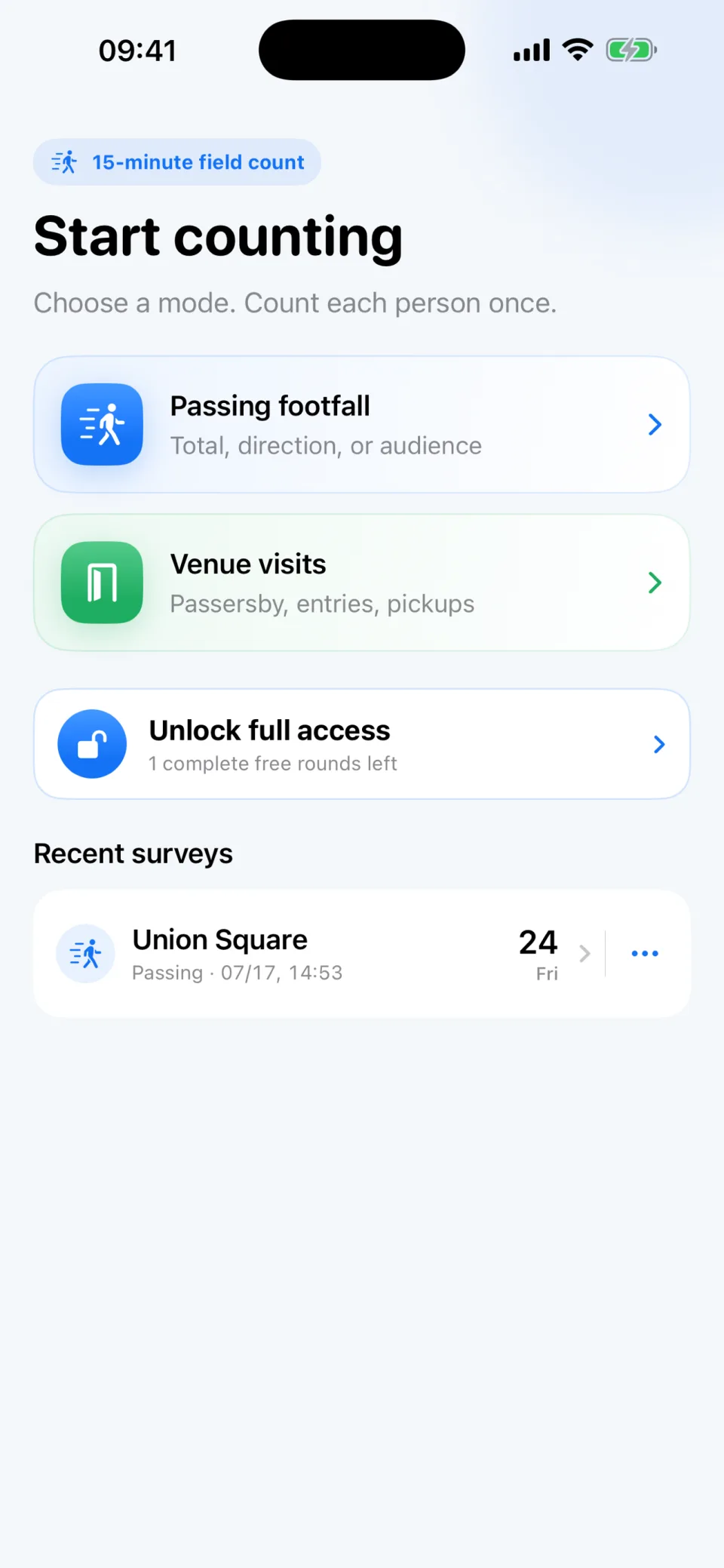
Repeat rounds at the same location and build a clearer picture across time windows and operating conditions.

  • Review cumulative totals and full-round averages
  • See peak rounds without losing the underlying records
  • Add weekdays, holidays, events, and notes
  • Keep each observation available for later review
Footfall Tally home screen with a recent survey

Built for decisions made on the ground.

1

Site selection

Compare candidate storefronts with repeatable field counts.

2

Retail & restaurant audits

Observe passersby, entries, audience fit, and pickup traffic.

3

Venues & events

Count movement through malls, exhibitions, and event spaces.

4

Public-space observation

Record pedestrian flow consistently across places and times.

Private by default

  • No account
  • No ads or third-party analytics SDK
  • Survey records stay on your device
  • Optional location only suggests a place name
Read the full privacy policy

Try two complete rounds free.

Unlock full access once—no subscription.

Download on theApp Store

Field guides

Make each observation more useful.

Use a fixed observation point, consistent time windows, and a clearly defined counting question before comparing locations.

Browse field guides